Skip to content
RuneGardScan. Check. Track. Improve.

Scan. Check. Track. Improve.

Consistency you can see.Performance you can prove.

Connect tagged equipment, day-to-day checks and service work in one live operational record across every site.

RuneGard

Operational Intelligence

Last 30 days
Measurements on target92%230 of 250 measurements on target.
Shots fully on target84%84 of 100 shots fully on target.
Average extraction stability91/100Average from 100 shots.
Needs attention33 of 20 checks need attention.
ActivityHealth checks and service visits over time
Health checksService visits
Health checks: 8, 13, 10, 16, 12 and 18. Service visits: 2, 1, 4, 2, 6 and 3.03 Jun10 Jun17 Jun24 Jun01 Jul08 Jul08 JulChecks 18Service 3
Check results
Why attention is needed

Uneven visual flow

Recorded evidence 3 checksNeeds attention 3 of 20 checks
Synthetic demonstration data
Asset scan

Demo Espresso 02

Demo site · Main bar

Latest checkNeeds attention
Health Check
Report a Problem
Service Visit
Asset History
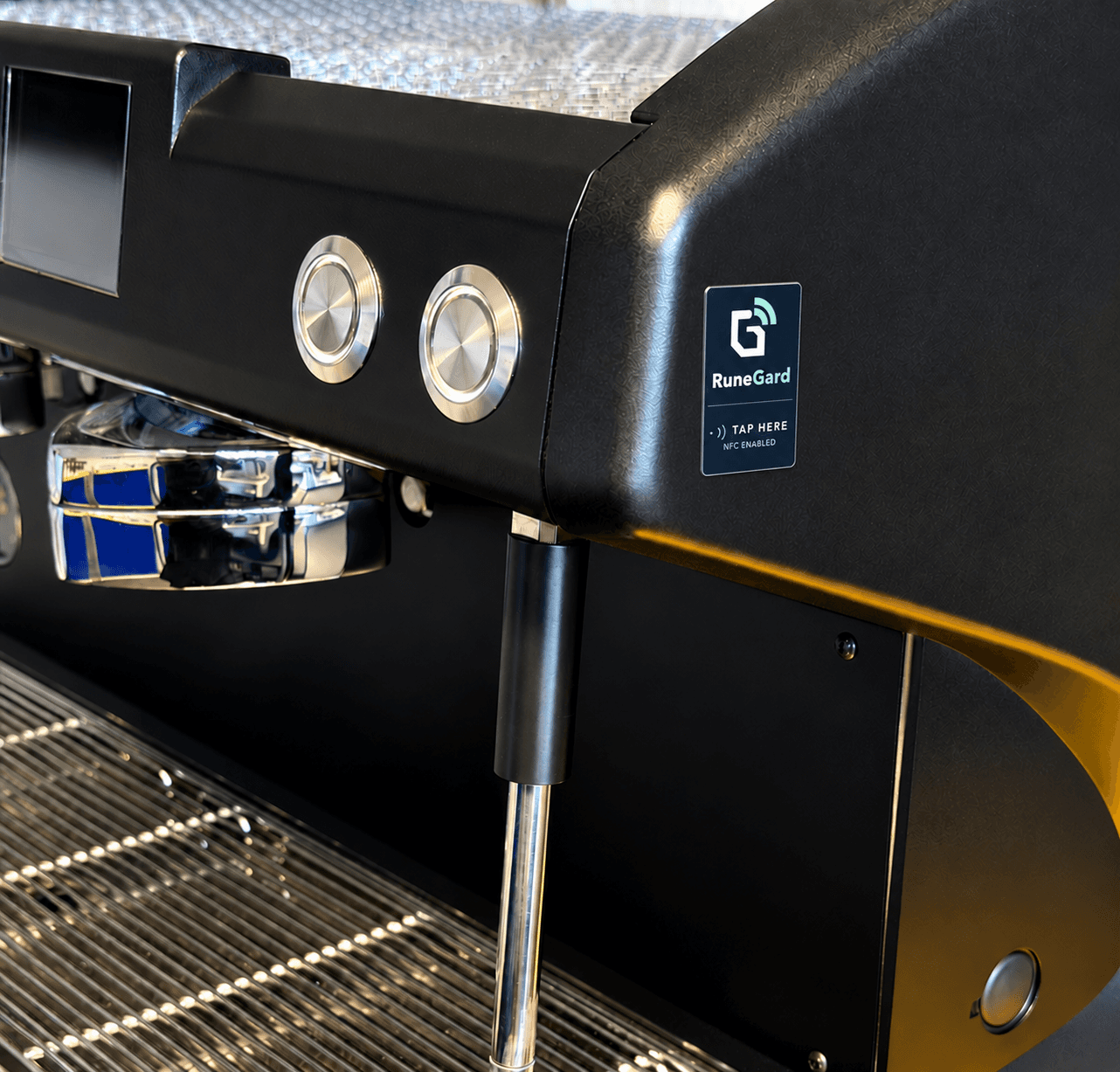
RuneGard NFC tag attached to professional Reneka espresso equipment

Tagged asset workflow

Scan. Check. Track. Improve.

Scan the RuneGard tag to open the exact equipment record. Run a health check, report a problem, complete a service visit or review its history without selecting the asset again.

Equipment performance

Know what needs attention.

See checks and service visits over time, with the issues that need a closer look.

ActivityHealth checks and service visits over time
Health checksService visits
Health checks: 8, 13, 10, 16, 12 and 18. Service visits: 2, 1, 4, 2, 6 and 3.03 Jun10 Jun17 Jun24 Jun01 Jul08 Jul
Check results
Why attention is needed
  1. VisualUneven visual flow
    3 observations
  2. SensoryTaste outside reference
    2 observations
  3. ConsistencyGroup-to-group variation
    2 results
  4. SoundUnusual sound reported
    1 observation
Checks reviewed
20
Need attention
3
Synthetic demonstration data

Service operations

From reported fault to verified repair.

Bring customer requests, jobs, engineer assignment and a lightweight weekly planner into the same asset-first workflow.

  • 01
    Capture the issue at the asset

    A scan can open a structured service request with photos or a supporting PDF.

  • 02
    Coordinate the right service team

    Plan work, assign engineers and route jobs to an approved provider without duplicating the record.

  • 03
    Complete the visit on mobile

    Record diagnosis, work, parts, evidence, outcome and attendance acknowledgement beside the equipment.

Service OperationsPlan the work. Preserve the evidence.
Week of 12 Oct
Open work
8
Jobs requiring action
Needs attention
2
Urgent or follow-up
First-time fix
86%
Measured visits
Availability
98.4%
Recorded uptime
PlannerService team
Drag work onto a day
Mon12
RG-1042Field visitRG-1045Workshop
Tue13
RG-1047Field visit
Wed14
RG-1048Field visitRG-1051Workshop
Thu15
RG-1053Field visit
Fri16
RG-1054Field visit
Synthetic demonstration data

The complete picture

A clear history for every asset.

Checks, observations, service evidence and engineer reports stay together in one Digital Passport.

See what changed, what was done, which parts were used and the final verified result.

Asset historyDemo Espresso 02Demo site · Main bar
Final result verified
Complete operational recordChecks, evidence and service
  1. Service visit completed

    Group seals replaced and final performance confirmed.

    Verified
  2. Health check recorded

    Uneven visual flow noted on group two.

    Attention
Synthetic demonstration data

See RuneGard in action

See what your estate has been trying to tell you.

Book a demo